
Top 5 Airport Schedule APIs in 2026
Looking for an airport schedule API that provides you the accurate data? That’s where things get tricky. A good airport schedule API gives you what you’d expect: flight numbers, airline names, arrival and departure times, and current status like “scheduled” or “delayed.” But some go further, including gate and terminal info, aircraft model codes, airport coordinates, timezone data, and even links to public sources like Wikipedia or airport images – all in one structured response. If you’re working with arrivals or departures and need more than just a timestamp and a flight number, these advanced APIs are worth a closer look. To make your search easier, we’ve listed the Top 5 Airport Schedule APIs in 2026, based on accuracy, data depth, and ease of use. Here’s what stands out. API Provider Description Pros Cons Pricing FlightAPI Provides real-time arrival and departure data with airport metadata like coordinates, terminals, timezone, and Wikipedia links. Ideal for travel platforms needing accurate airport data. • Reliable real-time updates• Covers 700+ airlines• No-code integrations available • No booking features• Credit-based pricing may rise with usage Lite – $49/moStandard – $99/moPlus – $199/moFree trial – 20 calls Aviyair Offers live airport timetables with over 20 filters (status, gate, terminal, airline). Designed for aviation software needing granular flight data. • Real-time schedule data• Multi-language SDKs• Broad API suite (7+ types) • Expensive entry point• No free trial Starter – $129/moStandard – $269/moBusiness – $729/moCustom – Contact sales GoFlightLabs Delivers real-time and historical flight schedules, including terminals, gates, and delay info. Suited for developers building dashboards or trackers. • Budget-friendly plans• Global flight data• Historical and future schedules • Strict rate limits• Billing and support issues reported Starter – $24.99/moBasic – $49.99/moPro – $149.99/moPremium – $249.99/moFree trial – 7 days SITA Enterprise-grade API used by airlines and airports to access global schedules and frequency data. Focuses on accuracy and operational planning. • Trusted by global carriers• Detailed metadata (gates, aircraft, frequency)• High reliability • No public pricing• Requires enterprise setup Enterprise-only – Contact sales AviationStack Provides both real-time and historical flight data for airports worldwide. Easy to integrate for flight boards, analytics, and travel apps. • Free tier for testing• High accuracy• 99.9% uptime • Rate limits on core APIs• Occasional duplicate data Free – 100 calls/moBasic – $49.99/moPro – $99.99/moBusiness – $249.99/moEnterprise – Custom 1. FlightAPI The Airport Schedule API from FlightAPI offers structured access to flight schedules for any airport, with support for both arrivals and departures. It pulls flight data from the last two days to three days ahead, or up to a 10-day window if no specific date is passed. The data includes flight numbers, status, departure and arrival times, airline info, and even aircraft codes. Each response also provides detailed airport metadata like IATA and ICAO codes, location coordinates, timezone info, elevation, and optional links to Wikipedia and image sources. It’s useful if you’re adding contextual or location-based elements. To fetch data, you only need a few required parameters: your API key, the airport’s IATA code, and the mode (arrivals or departures). There’s also an optional day parameter to customize your date range. Documentation: Airport Schedule API Docs If you’re a no-code developer or prefer working with spreadsheets, you can also use the API directly inside Google Sheets. Check out this quick walkthrough 👉 Get Airport Schedule Using Google Sheets and API Other APIs FlightAPI offers: Pricing: Pros: Cons: 2. Aviyair Aviyair’s Current Airport Schedules API provides real-time access to live airport timetable data. With just two required fields. The airport IATA code and schedule type (arrival or departure). You can pull live schedule updates directly into your application or system. The API supports over 20 optional filters to narrow results, including airline, terminal, gate, status, flight number, delay duration, and more. It returns all key timetable data like scheduled, estimated and actual times, terminal/gate info, airport IATA/ICAO codes, airline identifiers, flight status, and codeshare details when available. Developers can also combine this with Aviyair’s future schedules API to enrich responses with common aircraft model data per flight number. The JSON REST structure is designed to work across modern languages, including JavaScript, Python, PHP, and others. Pricing: Pros: Cons: 3. GoFlightLabs GoFlightLabs provides an airport schedule API that returns real-time departure and arrival data based on the airport’s IATA code. You can set the schedule type as either departure or arrival, and add filters like airline, flight number, or timestamps to narrow things down. Each response includes the essentials such as flight number, airline codes, terminals, gates, scheduled times, and current status. You also get timestamps for estimated and actual events, delay durations, and aircraft ICAO codes. Baggage carousel info and codeshare identifiers show up when available. The API is delivered in JSON format and includes both local and UTC timestamps for time-based tracking. Pricing: Pros: Cons: 4. SITA SITA offers a Flight Schedule API built for global aviation data needs, providing access to scheduled flights between airports, including future flight details. The API is designed to work with both city and airport codes (IATA), making it flexible for a variety of schedule-based applications. The output typically includes flight numbers, airline details, departure and arrival airports, scheduled times, and frequency of service. It’s suitable for displaying available flight connections, planning logistics, or integrating schedule insights into aviation platforms. This API focuses on scheduled data rather than real-time updates. It is an ideal API when you’re building around published timetables rather than tracking live statuses. Pricing: Pros: Cons: 5. AviationStack AviationStack provides a flight data API that includes both real-time and historical schedule information. With support for global airports and airlines, the API lets you pull live departure and arrival data using airport IATA codes, along with key details for each flight. Each response includes flight number, airline info, status (like active, delayed, cancelled), scheduled and estimated times, terminals and gates (when available), as well as airport codes for both origin and destination. Aircraft type data and timestamps in both local and UTC
How to Track Flights Between Airports With Google Sheet and FlightAPI
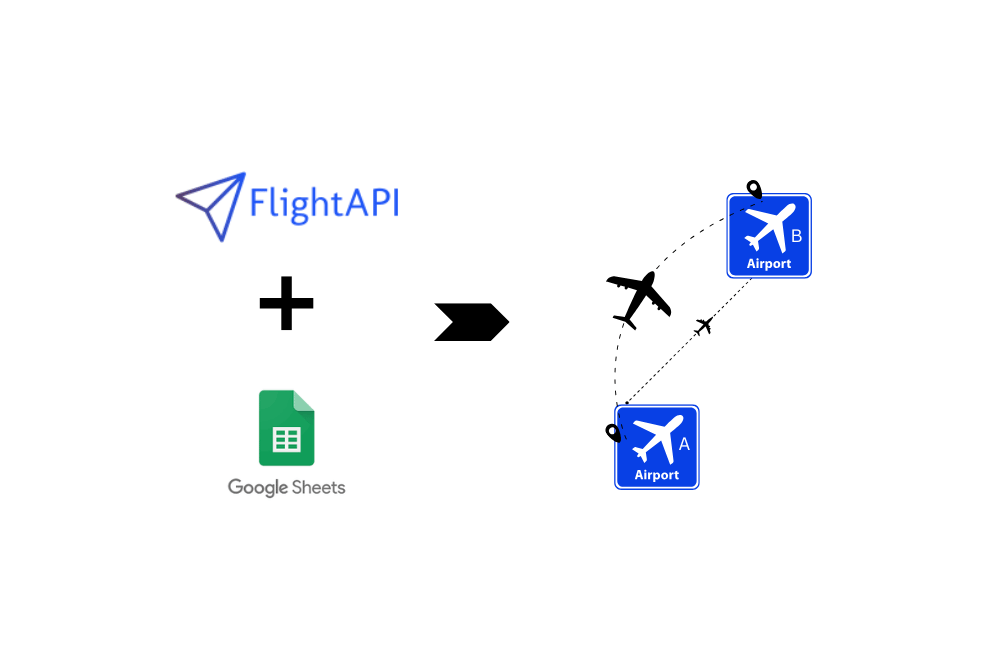
If you’re managing travel logistics, coordinating shipments, running a travel agency, or overseeing business operations where tracking flights between airports is needed. This tutorial is built for you. In this tutorial, we’ll show you exactly how to create a simple tool to track flights between airports using Google Sheets and a Flight Tracking API. No code, no tech headaches. Just a fully functional solution you can build from scratch and start using today. Moreover, at the end of the tutorial, you will also get a ready-made blueprint. You can download it, plug in your details, and start pulling live flight data in minutes. What You’ll Need: Step 1: Get Your API Key (In a free account, you will get 50 credits. Using the flight tracking between airport API costs 1 credit per response, which is pretty good for testing purposes. For more credits, you can upgrade your account as per your needs.) Step 2: Prepare Your Spreadsheet Before you set up your spreadsheet, you’ll want to review the API documentation here: Track Flights Between Airports API. This will show you which parameters you’ll need to send and what kind of data you’ll get back. Now, based on that information, let’s set up two tabs in Google Sheets: Input and Output. In the “Input” sheet: You’ll create a simple table where you’ll add the details of the flights you want to track. Here’s what you need: In the “Output” sheet: This is where the magic happens. This tab will show the flight data pulled directly from FlightAPI. Here are the columns to include: Step 3: Edit Apps Script and Run It With your spreadsheet ready, it’s time to make things work behind the scenes. This step will automate the process – pulling data from your Input sheet (your API parameters) and placing the results into the Output sheet. Here’s what to do: 6. In the script you just pasted, look for the placeholder text “your_api_key”. Delete “your_api_key” and replace it with your actual API key from the FlightAPI dashboard. This will authenticate your requests and allow the script to fetch live flight data. 7. After updating your API key, click Save (the floppy disk icon) in the Apps Script editor. 8. Next, hit Run from the toolbar. The first time you run the script, Google will pop up a permissions window asking you to authorize the script to access your Google Sheet. This is standard when using Apps Script to automate tasks. 9. Head back to your spreadsheet and check the Output tab — you’ll now see the live flight data neatly organized into columns. The tool will pull flight details like airline, flight number, status, times, and more, all arranged and ready for you to use. Get Your Ready-to-Use Blueprint If you’d rather skip building the tracker from scratch, we’ve got you covered. Click the link below to access the Google Sheet template. Simply make a copy, enter your flight details in the Input tab, insert your API key into the Apps Script (as outlined in this guide), and run it. You’ll be ready to start pulling flight data in no time. 👉 Download Your Flight Tracker Template Wrapping Up You’ve now got a working flight tracking tool inside Google Sheets — no coding headaches, no extra software, just simple automation using FlightAPI. Whether you’re managing travel operations, tracking cargo movements, or supporting customer travel needs, this setup saves time and delivers real-time flight data exactly where you need it. If you’re looking to extend your automation even further, check out these resources. You might need more than just flight tracking down the line — from real-time schedules to broader data sets, these guides have you covered: More Tutorials to Level Up Your Workflow:
How to Check Airport Schedule using Google Sheets and Airport Schedule API?
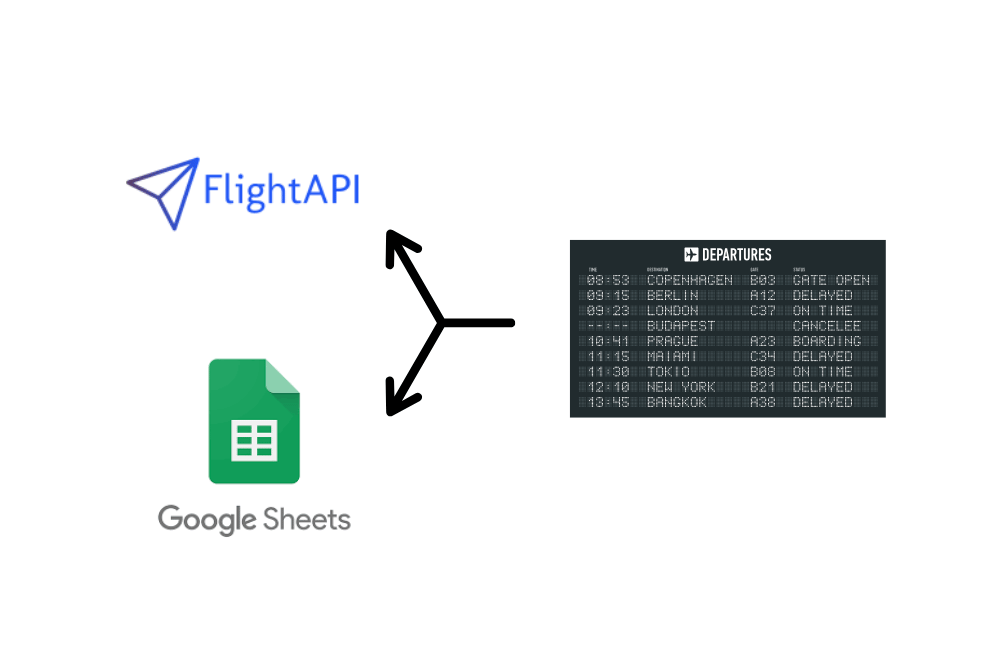
Finding flight schedules for an airport shouldn’t feel like searching for a needle in a haystack. But hopping between airline websites, refreshing pages, and manually compiling data? That’s a time-wasting nightmare. What if you could get all that information directly in a Google Sheet—automatically? No coding, no complex setups—just a simple process that fetches real-time airline schedules in seconds. In this guide, you’ll learn how to use Google Sheets and an API to extract airport schedules with ease. Follow the steps, set up your tool, and by the end, you’ll also get a blueprint sheet so you can plug in your details and get started instantly. Let’s get to it. What You’ll Need: Step 1: Get Your API Key Step 2: Create Google Sheet Step 3: Add the Apps Script to Google Sheets Now that you have the required details, it’s time to insert the script into your Google Sheet. Follow these steps: Step 3: Edit the Apps Script Code 1. Your API Key 2. Select the Date for Schedule Data The API allows you to fetch schedules for yesterday, today, or tomorrow, using numerical values: Add the numbers accordingly in the script here. 3. Choose Arrival or Departure Data The API allows you to pull data for either: “arrivals” → To get incoming flights “departures” → To get outgoing flights In the script, look for the mode and change it based on what you need. If you need additional options or details about the API, check out the Airport Schedule API documentation. Step 5: Save, Run the Script, and Check the Output Download the Pre-Built Blueprint No need to start from scratch—simply download the pre-built blueprint, make the necessary changes, and run the script to start fetching flight schedule data instantly. Click here to download your copy Wrap Up: With this Google Sheet blueprint, you can effortlessly track airport schedules. Flightapi.io not only offers Airport Schedule API but also offers Flight Price API and Flight Status API for catering to various data needs. If you’re looking to delve deeper into flight data extraction, whether through Python or no-code solutions, explore these additional resources to enhance your capabilities and streamline your data management processes.
How to Extract Airport Schedule Data with Python
Airport schedule data is crucial for flight tracking, travel planning, airline operations, and aviation analytics. In this guide, we will demonstrate how to extract real-time airport schedule data using Python. By the end of this tutorial, you’ll be able to fetch flight arrival and departure schedules using a simple API request. What is Airport Schedule Data? Requirements I hope you have already installed Python on your machine, if not then you can download it from here. Then create a folder where we will keep all the files. mkdir flightdata Then inside this folder install requests and pandas library. pip install requests Now, create a Python file using any name you like. I am naming the file as schedule.py. The final step would be to create a trial account on FlightAPI. You will get 30 credits for testing the API. Extracting Airport Schedule Data Once you sign up for the trial pack you will be redirected to the dashboard which will look like this. Before proceeding with the coding, it would be great to read the documentation to get the full idea of how the airport schedule API works. import requestsAPI_KEY = “your-api-key”AIRPORT_CODE = “JFK”mode=”arrivals”URL = f”https://api.flightapi.io/schedule/62677fded20b140b78fa40bc?mode={mode}&iata={AIRPORT_CODE}&day=1″response = requests.get(URL)if response.status_code == 200: airport_data = response.json() print(airport_data) else: print(f”Error: {response.status_code}”) Let me briefly explain the code. Let’s run the code and see what appears. You got a beautiful JSON response for all the arriving flights at JFK. Let’s parse the schedule data out of this huge JSON data. For your simplification, the data looks like this. From this, we need schedule data. But if you need weather or aircraft image data then you can parse that too. import requestso={}l=[]API_KEY = “your-api-key”AIRPORT_CODE = “JFK” # Replace with your airport codemode=”arrivals”URL = f”https://api.flightapi.io/schedule/62677fded20b140b78fa40bc?mode={mode}&iata={AIRPORT_CODE}&day=1″response = requests.get(URL)if response.status_code == 200: airport_data = response.json() completeData=airport_data[‘airport’][‘pluginData’][‘schedule’][‘arrivals’][‘data’] for i in range(0,len(completeData)): try: o[“flight”]=completeData[i][‘flight’][‘aircraft’][‘model’][“text”] except: o[“flight”]=None try: o[“departure”]=completeData[i][‘flight’][‘time’][‘scheduled’][‘departure’] except: o[“departure”]=None try: o[“arrival”]=completeData[i][‘flight’][‘time’][‘scheduled’][‘arrival’] except: o[“arrival”]=None l.append(o) o={} print(l)else: print(response.text) print(f”Error: {response.status_code}”) After running the code you will get this parsed JSON response. Saving the data to a CSV file Our parsing is done now let’s save the data directly to a CSV file. We will use pandas for this process. import requestsimport pandas as pdo={}l=[]API_KEY = “your-api-key”AIRPORT_CODE = “JFK” # Replace with your airport codemode=”arrivals”URL = f”https://api.flightapi.io/schedule/62677fded20b140b78fa40bc?mode={mode}&iata={AIRPORT_CODE}&day=1″response = requests.get(URL)if response.status_code == 200: airport_data = response.json() completeData=airport_data[‘airport’][‘pluginData’][‘schedule’][‘arrivals’][‘data’] print(len(completeData)) for i in range(0,len(completeData)): try: o[“flight”]=completeData[i][‘flight’][‘aircraft’][‘model’][“text”] except: o[“flight”]=None try: o[“departure”]=completeData[i][‘flight’][‘time’][‘scheduled’][‘departure’] except: o[“departure”]=None try: o[“arrival”]=completeData[i][‘flight’][‘time’][‘scheduled’][‘arrival’] except: o[“arrival”]=None l.append(o) o={} df = pd.DataFrame(l) df.to_csv(‘schedule.csv’, index=False, encoding=’utf-8′) print(“done”)else: print(response.text) print(f”Error: {response.status_code}”) Once you run this code you will see a CSV file by the name schedule.csv inside your folder. Conclusion Extracting airport schedule data using Python and FlightAPI.io is a powerful way to access real-time flight arrivals, departures, and status updates. By leveraging APIs, we can efficiently fetch, process, and analyze flight data without relying on manual tracking or unreliable sources. Apart from airport schedule data, FlightAPI.io offers a range of other services, including flight price comparison data from different vendors through its Flight Price API. You can explore the documentation for different trip types: Additionally, it offers a Flight Status API that allows you to retrieve real-time flight tracking data using Python, including flight number, departure airport, scheduled departure time, arrival airport, and scheduled arrival time. If you prefer a no-code solution, check out our step-by-step tutorial on automating flight status data extraction using Google Sheets.
Airline Data Analytics: Benefits, Challenges, and Future Trends

Airlines are moving fast to keep up with tech and changing travel trends, and data is now playing a huge role in how they do it. Valued at USD 2.6 billion in 2023 and expected to grow at a robust 10.14% annually through 2030, the aviation analytics market is reshaping how airlines operate. (source) From optimizing flight routes and enhancing customer experiences to predicting maintenance needs and managing risks, data analytics provides airlines with critical insights to improve efficiency and drive growth. However, integrating these advanced technologies comes with its own set of challenges. In this blog, we will not only explore the immense benefits of data analytics in the airline industry but also the hurdles that must be overcome to fully harness its potential. Let’s start with the benefits. Key Business Advantages of Data Analytics in Airline Industry 1. Revenue Management Business analytics in the airline industry helps businesses to understand traveler demand and optimize pricing for maximum profitability. Traditional statistical approaches are no longer sufficient for analyzing the vast amounts of data that airlines must consider when pricing flights and understanding demand. Using data science, airlines can now leverage sophisticated methods to perform demand analysis. For example, behavioral data from travelers can be used to identify leisure demand, while data from professional networking sites and recruitment and procurement activities can signal emerging business travel destinations. Machine learning-based clustering can also group thousands of origins and destinations by similarities, taking into account various parameters like the time of travel, duration of stay, and more. Moreover, revenue teams can also rely on competitive flight pricing data to adjust fares at the best possible rate according to demand and competition to secure more bookings. For doing so, Flight Price API has become an important tool for airlines to track flight prices across different booking applications, websites, and OTAs. Watch the tutorial to learn how to retrieve real time flight price data by using FlightAPI. Despite that, if you’re looking for APIs for different airline or travel data needs, check out these travel API providers. 2. Route Data Using data analytics in airline businesses can plan flight routes more efficiently. This helps them to ensure timely arrivals for passengers and reduce fuel consumption, and overall cost. For doing this, airlines need access to real-time flight data and route information, and by using a reliable Flight Status API they can make informed decisions for their airline route planning. Want to pull flight schedule data into a Google Spreadsheet in a simple, easy-to-read format? Just enter the airline code and flight number, and you’re set. ✅ To go further, here are some in-depth tutorials you can check out: 3. In flight Sales and Food Supply Estimation The utilization of big data software for analytics in the airline industry has become indispensable, particularly in the areas of in-flight sales and food supply estimation. By diving into data, airlines can make informed decisions about food offerings and accurately forecast customer demand, which ultimately helps optimize inventory and minimize waste. For instance, airline analytics open doors for examining historical sales data to identify which food and beverage items are more likely to sell on specific routes at different times of the day. This knowledge can guide their inventory planning to ensure that the most popular items are always readily available. Similarly, analyzing data from similar routes can help airlines anticipate the food needs for new routes, minimizing any possible food shortages or wastage. Furthermore, real-time data from in-flight entertainment systems can help airlines stay on top of passenger’s preferences and tailor their snack and beverage offerings and entertainment choices accordingly. 4. Helps in Predictive Maintenance Data analytics helps aviation industries save costs and increase revenue streams by using Big Data, IoT, and predictive analytics. Airlines analyze data to anticipate aircraft part refurbishment or repair needs before they break down, reducing unplanned maintenance costs and associated delays. Plus, predictive data analytics monitors engine temperature, fuel consumption, and flight patterns to identify trends and provide insights into maintenance needs By using data analytics for predictive maintenance, aviation companies benefit from improved safety, efficiency, and profitability by streamlining maintenance schedules and increasing aircraft uptime, leading to higher customer satisfaction scores and increased revenue streams. 5. Helps in Risk Management The demand for aviation analytics s increasing at a fast pace in the aviation industry since industry experts have become aware of the usefulness of managing risks and preventing accidents. To make this possible, airlines use data analytics in aircraft maintenance, and crew management programs to predict and manage pilot fatigue, reducing risks and ensuring safe operations. By analyzing factors such as pilot schedules and flight times, airlines can identify potential risks and take proactive measures to prevent accidents, improve safety, and reduce costs. 6. Efficient Forecasting Effective flight prediction plays a pivotal role in enabling airlines to make informed decisions on a range of critical factors, including but not limited to seat capacity expansion, rate adjustments, and the introduction of new routes. To achieve precision in forecasting, airlines are increasingly adopting advanced demand forecasting in aviation approaches that leverage big data and predictive models. You just learned about how data analytics is revolutionizing the airline industry and propelling businesses to new heights. But wait for a moment, there are some serious challenges you need to be aware of if you want to stay ahead of the game. Check them out NOW! Challenges of Data Analytics in the Airline Industry Here are a few challenges of data analytics that the airline industry needs to overcome. Data Integration: Integrating different data sources into a single database is not always an easy task. Data Quality: Incomplete, inaccurate, or inconsistent data can lead to incorrect conclusions and decisions. Data Security: Like any other industry, data security is a top priority. Protecting data from cyber threats is kind of a crucial but difficult task. Complex Data Analysis: Analyzing large volumes of data is complex and time-consuming, requiring specialized skills and tools. Integration with Legacy Systems:
Automating Flight Status Data Extraction using Google Sheets and Flight Tracking API
Manually checking flight status is time-consuming and inefficient, especially if you need to track multiple flights daily. With a Google Sheets flight tracker, you can automate updates and monitor everything in one place without extra effort. In this tutorial, you’ll learn how to automate flight status tracking using Google Sheets with a Flight Tracking API, so that after setting up you always have real-time flight data without the hassle of manual updates. To make things even easier, I’m giving you a ready-to-use Google Sheet flight tracker template with everything set up for you. Stick around till the end to grab your free copy. What You’ll Need to Get Started Before setting up automation, make sure you have the following: 1. FlightAPI API Key2. Google Sheet3. Required Parameters 4. Flight Tracking API Documentation Prefer watching? Check out the video below 👇 Getting Started with Flight Status Automation Now that you have everything ready, keep your API key, Google Sheets, and required parameters handy as we walk through the setup. 1. Get Your FlightAPI Key To fetch real-time flight status data, you need an API key from FlightAPI. Follow these steps to get yours: 1. Go to FlightAPI.io2. Sign up and create an account3. Navigate to the API dashboard4. Copy your unique API key—you’ll need it to make requests. With a free account, you get 20 credits for testing, where 1 credit is used per request. To access more data, you can upgrade your plan. 2. Prepare Google Sheets with the Required Parameters Now that you have your API Key, the next step is to set up a structured Google Sheet to handle input and output data. This will ensure that we send the correct request parameters to the API and store the fetched flight details properly. But before we create the sheet, how do we know what data is required? Go to the Flight Tracking API documentation page, and you’ll find the list of required parameters needed for making requests. Now it’s time to set up the Google sheet. A ) Set Up the Input Sheet The Input Sheet is where you’ll enter flight details for the API to process. This makes the request dynamic and allows easy updates without modifying the script. 1. Open a Google Sheet and name it anything you like. I named mine “Automating Flight Status Data Extraction”. Rename Sheet1 to “Input”. 2. In Row 1, add the following headers: Each row will contain details for different flights you want to track. The script will read these values and fetch real-time flight status data. B) Set Up the Output Sheet The Output Sheet will store the real-time flight data fetched from the API. This helps organize the retrieved details in a structured format for easy tracking. 1. In the same Google Sheet, create a new sheet and rename it “Output”. 2️. In Row 1, add the following headers: Each time the script runs, it will fill up this sheet with live flight details. 3. Send Get Requests Through Apps Script Now that your Google Sheet is ready, it’s time to connect it with FlightAPI using Google Apps Script. This script is already designed to: You just need to add the script and edit your API key—that’s it! Add the Script to Google Sheets Follow these steps to insert the script into your Google Sheet: 1. Click Extensions → Apps Script 2. In the left panel, click Code.gs 3. Remove any existing code and paste the script provided below 👇 4. Don’t forget to edit your “API Key” in the code 4, Click the Save button 💾 5. Click Run ▶️ to execute the script Note: – If you’re running the script for the first time, Google may ask you to authorize access to your Google Account. Once verified, the script will start pulling real-time flight data into your Output Sheet automatically! 4. Verify the Execution & Check the Output Once the script executes successfully, you’ll see an Execution Log confirming that the process has started and completed. If everything is working correctly, check your Output Sheet—it will now contain flight details like departure airport, scheduled times, and arrival airport. Download the Pre-Built Flight Data Extraction Blueprint To save you time, I’ve prepared a Google Sheet Flight Status Tracker with everything already set up, structured headers, pre-written Apps Script, and a dynamic input/output system. What’s Inside? 👉 Download the Blueprint Wrap Up: You now have a fully automated Google Sheets flight tracker. But FlightAPI offers more than just flight status tracking. You can also use it for:✔ Comparing flight prices from multiple vendors✔ Access full airport schedules FlightAPI provides fast and flexible integration and 8000+ businesses are already using it. Get started with FlightAPI to extract flight-related data. More to Explore Here are a few guides and tutorials to help you dive deeper into flight data and automation.
13 Latest Technology Trends in Airline Industry in 2026
The airline industry has seen its fair share of turbulence in 2020, which marked the most challenging year ever, as passenger numbers plunged by a jaw-dropping 557 million – that’s a 40% drop compared to 2019. But, technological advancements in the airline industry are now helping it reach new heights, driving innovation, resilience, and growth. With revenues taking off to $194.7 billion in 2021 and skyrocketing further to an impressive $206.3 billion in 2022, there’s never been a more exhilarating time to be in the airline business. If you’re into the airline or travel business or a professional whose responsibility is to take revenue to new heights. This blog is for you! In this blog, we’re spilling the beans on the what are the new trends in the airline industry that will help your airline or travel business to take off. Let’s get started! Trend #1: Data Analytics The demand for data analytics is soaring in the airline industry. Recent research shows the global aviation analytics market is expected to hit USD 4.36 billion by 2028, growing at a CAGR of 11.58%. This rapid growth underscores the industry’s increasing reliance on data-driven tools that enhance efficiency, elevate customer satisfaction, and drive profitability. With the help of APIs, business intelligence is now more accessible than ever to airlines. This is what makes it a cornerstone of modern aviation strategy. Let’s dive deeper into how each Flight API type can be useful for airlines. Flight Price API revolutionizes competitive pricing analysis, which is a vital aspect of airline marketing trends that enables airlines to easily monitor competitor fares and make informed airline pricing strategies. This tool eliminates time-consuming manual methods and ensures accuracy. To see how easy it is to use FlightAPI for retrieving flight prices, check out the tutorial. Flight Tracking API keeps track of real-time flight locations, offering valuable insights for airlines to optimise their operations. This can lead to better aircraft utilization, efficient crew management, and enhanced customer service. To check out more about our Flight Status and Compare with other providers read this blog. Airport Schedule API delivers a comprehensive schedule for any airport, including detailed arrival and departure dates. It allows the retrieval of flight schedules either separately or together, based on user preference. Airlines should embrace these flight APIs to maximize the benefits data analytics has to offer. By staying informed and adapting quickly to market changes, airlines can maintain a competitive edge and secure long-term success which makes data analytics one of the most important technology trends in the airline industry. Trend #2: Artificial Intelligence and Machine Learning AI and ML are revolutionizing aviation industry trends that are revolutionizing the industry by helping optimize operations, reducing costs, and enhancing customer experiences. By analyzing vast amounts of data, AI accurately forecasts passenger and cargo demand that helps airlines to optimize flight schedules, pricing, and resource allocation. Machine learning models identify patterns and trends to improve marketing efforts and personalize customer interactions. Furthermore, AI-powered chatbots provide 24/7 customer support, addressing inquiries and resolving issues quickly. Embracing AI and ML allows airlines to elevate their businesses to new heights, driving efficiency, innovation, and customer satisfaction in the competitive aviation landscape. Trend #3: IoT and Cloud Technology IoT, cloud computing, and telephony are among the leading airline industry technology trends driving remarkable advancements. As aviation moves to the cloud, it not only reduces its carbon footprint but also unlocks numerous benefits. Cloud-based networks serve as the backbone for countless IoT-enabled devices, streamlining passenger check-in and boarding processes while enhancing security. Moreover, as part of evolving airport technology trends, airports harness the power of IoT for cost savings, such as employing sensor-based PoE lighting to boost efficiency. By embracing IoT and cloud computing, the airline industry can unlock unprecedented levels of innovation, automation, and sustainability, redefining the future of air travel and airport operations. To simplify & make the process more efficient the role of cloud management platform in this ecosystem is indispensable. It offers a centralized solution to manage the vast array of cloud services and IoT applications. When integrated with IT Service Management (ITSM), these platforms ensure smoother operations and faster issue resolution. Trend #4: Personalization In the era of digital marketing, the airline industry is evolving to meet travelers growing demand for personalized experiences. Delta Sync, unveiled at CES 2023, highlights the trend toward personalization in air travel by offering a unique ecosystem of tailored digital services and experiences. However, other airlines are also stepping up their game. For instance, Singapore Airlines KrisWorld’s entertainment system curates content based on passenger’s preferences and flight history. Meanwhile, Emirates provides region-specific cuisine and allows passengers to create their own playlists before boarding. These airlines, along with others, harness customer data and technology to enhance various touchpoints, from tailored in-flight entertainment and food options to exclusive partnerships with top consumer brands, often collaborating with a mobile App development company to build seamless, personalised mobile experiences for travellers. As airlines continue to innovate, the future of travel will see the seamless integration of digital and physical experiences which makes journeys more rewarding and personalized for travellers. Trend #5: Metaverse, Digital Twin, and NFT One of the most impactful future trends in the airline industry is adopting metaverse, digital twin, and NFT technologies to revolutionize customer experiences and optimize operations. SITA’s ‘Meet the Megatrends’ report predicts that metaverse operations will be widespread in leading airports by 2030. For instance, Heathrow Airport is exploring the use of a digital twin to simulate passenger flow, which enables the optimization of terminal layouts and minimizing congestion. Singapore Airlines, through its virtual reality platform, VRSQ, offers an interactive tour of its airport lounges and cabin interiors, providing travellers with a personalized and immersive pre-flight experience. Delta Air Lines is also integrating the metaverse with a virtual training facility for cabin crew by utilizing VR technology for efficient and realistic training simulations. To effectively communicate these advanced digital NFT and metaverse technologies to their target audience, airlines
5 Best Flight Status APIs in 2026

Flight status APIs are essential for delivering real-time flight data and help airlines and travel agencies keep their customers stay updated on delays, cancellations, and arrivals. These APIs streamline the flow of crucial information to ensure smooth travel and logistics. In this blog, we have listed top APIs for tracking flight status available in 2026. Before getting there, let’s understand more about it. What is Flight Status API? A Flight Status API provides real-time information on flight departures, arrivals, delays, and terminal details. With this API, you can track any flight using its flight number and airline code. To use it, you’ll need to send a GET request with a few parameters. Detailed instructions and additional information are available on API documentation. Explore Top 5 Flight Status APIs API Name Key Features Free Trial / Plan Starting Price 1. FlightAPI Real-time global flight tracking; supports both commercial & private flights; data from airlines, airports & partners; filter by airline, departure, or arrival airport. ✅ Free credits available $49/month 2. Aviation Stack Covers 250+ countries; provides flight schedules, airline info, airport timetables, and live tracking; ideal for basic tracking needs. ✅ Free plan available $49.99/month 3. Cirium Provides scheduled, estimated, and actual flight times; terminal, gate, and aircraft details; pre- and post-flight tracking up to 10 days. ❌ No free plan (contact for demo) Custom pricing 4. AirLabs Tracks live flight data including altitude, speed, direction, and location; filter by flight number, airline, or airport codes; ideal for maps & live tracking apps. ✅ Free tier available Custom pricing 5. Aviation Edge Aggregated data from hundreds of aviation partners; global flight tracking; includes IATA/ICAO codes, aircraft registration, and airline info. ❌ No free plan $299/month 1. FlightAPI FlightAPI offers a powerful and comprehensive solution for tracking flights globally with a simple GET request. With over 8,000 clients, it stands as one of the fastest and most flexible Flight Data APIs available. Whether you’re tracking commercial or private flights, our Flight Tracking API provides real-time data such as departure and arrival times, airport codes, flight status, and more. The data is sourced directly from airlines, airport authorities, and industry partners to ensure up-to-the-minute accuracy. With the ability to track any flight using its flight number and airline code, FlightAPI is perfect for developers building travel-related apps. It also allows users to filter flights by airline, departure airport, or arrival airport by offering versatile tracking options. Pricing starts at $49 per month. Be sure to check out the documentation for detailed instructions and easy integration tips. If you’re someone looking to extract flight status in bulk, check out our guide on automating flight status data using FlightAPI’s tracking API and Google Sheets. Beyond that, we’ve also published several tutorials to help you make the most out of it: These tutorials give you hands-on examples, whether you prefer no-code tools like Google Sheets and Lovable, or full coding flexibility with Python. 2. Aviation Stack Aviation Stack offers a global aviation data API. It provides access to flight schedules, airline details, airport timetables, and real-time tracking software across 250+ countries. The API delivers accurate flight statuses, including departure and arrival details which makes it a good option for basic tracking needs. Pricing starts at $49.99 per month, and you can check the API documentation from the website for further details and easy integration options. 3. Cirium Cirium’s offers detailed and real-time flight information, including scheduled, estimated, and actual departure/arrival times, terminal details, gate information, and aircraft type. The API answers critical questions about delays, cancellations, and current flight status for flights up to three days before departure and seven days after arrival. While offering robust features, such as tracking by airport, flight number, or route, Cirium’s API also includes flight status updates that reflect changes over time. This makes it a reliable tool for aviation professionals and businesses needing detailed flight data. Pricing plans vary, with premium options available for extended tracking features. Their API pricing is not mentioned on the website, and to get more information about the API, you can check the documentation. If you’d like to see how Cirium stacks up against other major providers, check out our detailed comparison of Cirium vs OAG vs FlightAPI. 4. AirLabs AirLabs API offers a comprehensive real-time flight tracking solution that allows users to monitor live flight data such as location, altitude, speed, direction, and current status. With customizable parameters, you can filter data by flight number, airline, or airport codes. Whether you’re building an app to track individual flights or displaying all active flights on a map, this API provides up-to-date and accurate information. Pricing is competitive, which makes it accessible for businesses that need reliable aviation data. For more details on integration and features, be sure to check the API documentation. 5. Aviation Edge Aviation Edge’s API offers comprehensive live tracking for airborne flights. With data aggregated from hundreds of aviation partners, this API delivers essential details like aircraft speed, location, altitude, and direction. You can track flights globally in real-time or filter by specific airlines, flight numbers, or airports. The API provides IATA and ICAO codes for departure and arrival locations, aircraft registration numbers, and airline information. Pricing starts at $299/month. Check out the documentation for more details and integration options. How to Choose the Best One For Your Needs? When selecting a realiable API for tracking flight status data several key factors come into play: Accuracy and Reliability: Up-to-date and precise information is essential. You need an API that provides real-time data without delays or inaccuracies. Coverage: The more airlines and airports are covered, the better. Broad coverage ensures you can track flights globally, which is crucial for most applications. Latency: How fast does the API update? Real-time performance is important, especially for tracking live flights. Ease of Integration: Look for an API that integrates seamlessly into your system. Clear documentation and support can save you headaches during implementation. Cost: Pricing can vary. Some APIs charge by usage, while others
Google Flights API Alternative: Flight Price API vs Scraping Google Flights

Google Flights API was once a popular tool for developers, and travel and airline businesses who needed flight-related data. But something happened, and Google shut down its Flight API service. Even though half a decade has passed, developers and businesses in need of it continue to search for it. If you’re reading this blog, you must be one of them. In this blog, we will introduce you to a Google Flight API alternative on which you can rely for accurate flight price data. So, let’s get started… What Was Google Flight API & How Did it Work? This API was popularly known as the QPX API, was a revolutionary tool introduced by Google that allowed developers, travel, and airline businesses to access flight prices, timing, availability, and route data. The thought behind this API was to pave a new path in the world of travel tech and help businesses and travelers to get easy access to flight information. It operated by pulling flight data from relevant sources to show a variety of flight options at once. Whether prices dropped or flight times changed, the API kept users informed on the go. Inception & Shut Down Of Google Flight API: On July 1, 2010, Google announced the acquisition of ITA Software Inc to create a new, easier way for users and businesses to find better flight information online, which should encourage more users to make their flight purchases online However, in 2018, as part of a broader reshaping of Google travel software, Google decided to shut it down as interest waned among travel companies and users. After ending access to the public-facing Google Flight API, google suggested getting access to flight information either through the QPX enterprise product ITA matrix or Google Flight Search which is still accessible today for travellers. However, developers and travel businesses lost a Flight API they could blindly rely on to build innovative travel applications. Features and Capabilities: Beyond accessing fundamental flight details like prices, timings, and routes, the API is used to provide real-time updates. This meant that if a flight was delayed or if there was a sudden flash sale, the tool would immediately reflect these changes. Its dynamic nature, combined with its comprehensive data reach, made it a trusted source for accurate flight information. Utility for Developers and Businesses: The QPX API, also known as the Google Flight Developers API, was a boon for developers. It provided a robust backbone for building or enhancing travel applications, which helps them to fetch and display diverse flight options without individually partnering with each airline. Meanwhile, businesses, especially those in the travel sector, utilize the API to offer value-added services to their customers so that they can provide the most up-to-date travel options to enhance user experience and trust. Why Travel Industry Needs A Reliable Google Flight API Alternative? Due to the pivotal role flight data plays in fueling operations and customer satisfaction, the travel industry needs a Flight API that is as affordable and accurate as Google products. For travel businesses, accurate real-time flight data is the backbone of offering competitive prices, optimizing itineraries, and ensuring seamless travel experiences. Since Google retracted public Flight API access, the industry faces a void in finding reliable options for accessing accurate, real-time flight data. While numerous companies have acknowledged the importance of flight data within the travel industry and introduced their travel APIs, it’s essential to note that not all Flight APIs are equally capable of providing the most precise and reliable data. Google Flight Alternatives If you’re reading this blog. You’re most likely looking for a way to access rich, real-time flight data such as airfares, routes, schedules, seat availability, airline codes, and booking options through a structured, developer-friendly format. The original Google Flights API (known as QPX Express) once provided exactly that. It would provide detailed flight search results, fare breakdowns, cabin classes, and itinerary information from multiple airlines and online travel agencies. It allowed developers to build their own flight search tools, compare ticket prices, and even analyze airfare trends. However, since that service is no longer available, developers and businesses have to turn to modern alternatives that aim to provide similar functionality in different ways. Broadly, there are two main types of solutions you can use today to access flight data programmatically: Each of these methods offers a distinct approach, with its own advantages and drawbacks depending on your use case. Let’s explore both options in detail below. Feature / Aspect Original Google Flight API (QPX Express) Flight Price API (FlightAPI.io) Google Flights Scraping API Data Source Direct access to Google’s aggregated flight data from ITA Software Official airline and OTA integrations via licensed vendor feeds Data scraped from Google Flights web interface Type of Data Provided Airfares, routes, schedules, seat availability, airline codes, fare breakdowns, and itineraries Live fares, routes, durations, cabin classes, booking links, and multi-trip itineraries Prices, flight times, airlines, and layovers shown on Google Flights Data Format Structured JSON API responses Structured JSON API responses Parsed JSON (from scraped HTML/JS data) Accuracy & Reliability Extremely accurate and stable (when available) High accuracy and reliability (official data sources) Variable — depends on Google’s UI stability and anti-scraping systems Legality & Compliance Official Google product, fully compliant 100% legal — uses authorized vendor data Not officially allowed; violates Google’s Terms of Service Ease of Integration Simple REST API (no longer public) Well-documented, easy REST integration Simple to start, but prone to breakage when Google updates UI Trip Types Supported One-way, round-trip, multi-city One-way, round-trip, multi-city Typically one-way and round-trip (limited multi-city) Coverage Global airline and OTA coverage via ITA Software 700+ airlines and OTAs worldwide Limited to whatever Google Flights displays per search Use Case Fit Now discontinued; used for flight comparison apps Ideal for production-grade apps, price aggregators, dashboards Suitable only for small-scale, temporary, or research use Pricing Model Previously paid access (discontinued) Credit-based (free tier + paid plans) Pay-per-use or limited free scraping credits Main Advantage Unified, official data
How To Get Flight Prices Between Destinations Using An API
Looking for the best way to get real-time flight price data by using an API? You’ve landed in the right place! In this guide, we have covered the essentials of accessing airline flight prices between destinations using APIs. Whether you’re coding your next travel app, leading a business in travel technology, or analyzing flight prices of your airline competitors you will learn how to retrieve the flight price data step by step. Let’s learn more about the flight price API. Understanding Flight Price API The Flight Price API by FlightAPI provides a streamlined and effective solution for accessing real-time flight price data from a comprehensive network of over 700 airlines and numerous ticket vendors. This Flight Price Data API enables users to perform thorough searches for the most competitive fares across various types of travel, whether it’s a quick one-way trip, a round trip, or a complex multi-city tour data, it got you all covered. Here’s a quick rundown of what it does: Step-by-Step Guide to Using the Flight Price API Let me explain how you can use a flight price API to track flight prices for any route around the globe from multiple vendors and airlines. For this example, we are going to use Python. I hope you have already installed Python 3.x on your machine, if not then you can download it from here. In the above API call, I am checking the price for the route from Helsinki to Oulu for the date 20th November. I have picked Economy class and currency as US dollars. Once you run this code you will get a JSON response. In this JSON you will get prices from more than 700 vendors and airlines. You can use it to track competitors. Conclusion: The Flight Price API provides extensive real time flight pricing data that is an invaluable resources for developers, travel analysts alike and can also be used by airlines for creating comptitive pricing strategy. With this API, harnessing detailed, accurate flight price data becomes effortless that enchance travel applications and competitive analysis significantly. You can integrate Flight Price API to empower your projects with data-driven insights to ensure your travel solutions are both innovative and informed. Ready to transform your travel tech endeavors? Start your free trial Today!